

Add a follow-up question
1
Open the booking form
In Links, open the event type you want to edit and select Booking form.
2
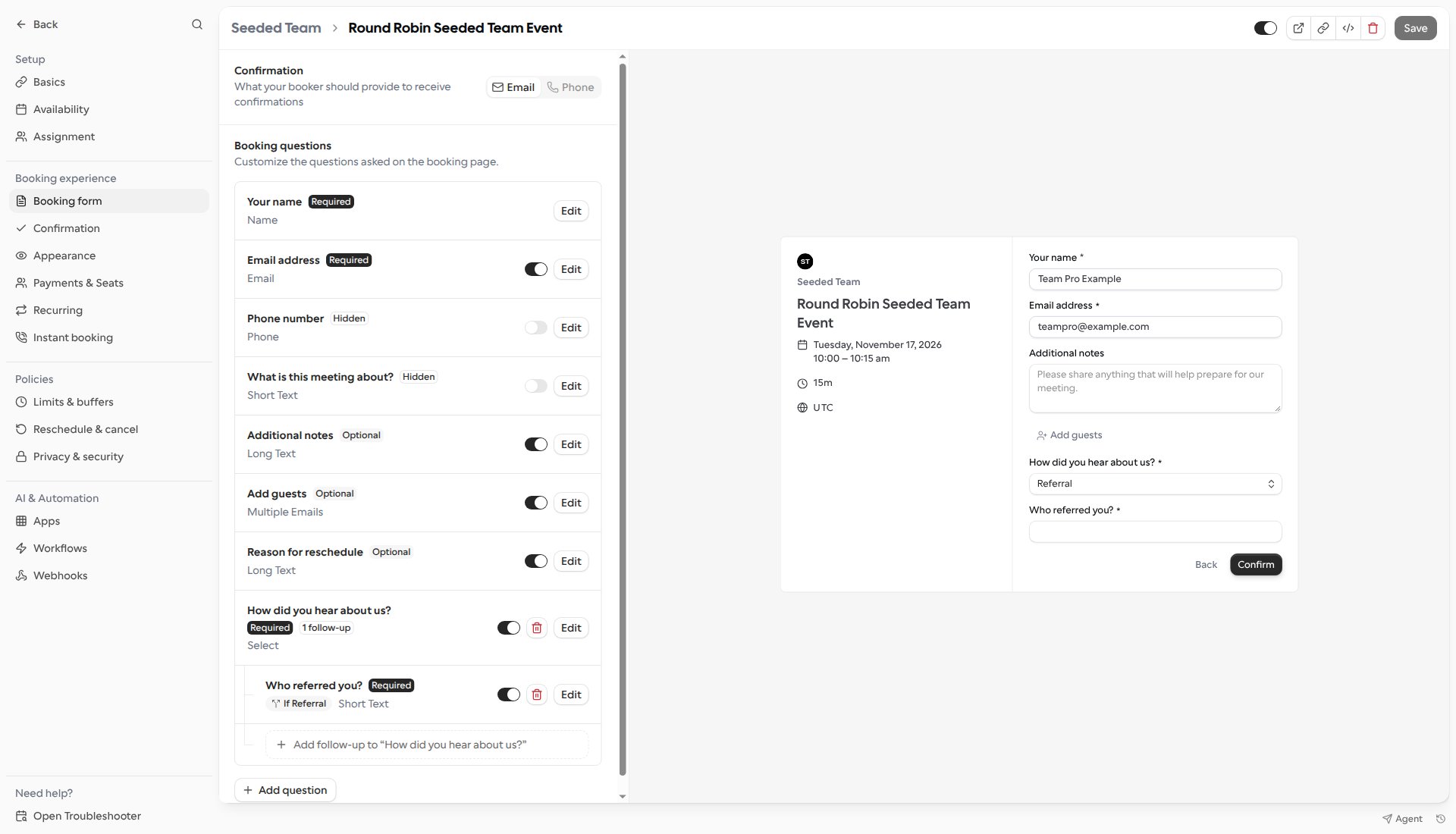
Choose the question the follow-up depends on
Add or find a visible multiple-choice or checkbox question. Under that question, click
Add follow-up to followed by the question’s label.
3
Choose which answers show the follow-up
Select at least one answer in the dialog. Any of the selected answers can show the follow-up.
For a single checkbox, choose Checked or Unchecked. A checkbox the booker leaves
untouched counts as unchecked.
4
Add and save the question
Set the follow-up’s type and label, click Add, then click Save on the event type. The
follow-up appears under the question it depends on, with a label showing when it appears.
Change the question a follow-up depends on
- Move the question. Its follow-ups move with it. You can reorder a follow-up among other follow-ups of the same question.
- Rename an answer. The rule follows the renamed answer.
- Remove or replace an answer. The rule keeps any remaining matching answers. If none remain, the editor warns you before saving that the follow-up will be shown to every booker. The same warning appears if you change the question to a type that can’t be used in a rule.
- Hide or delete the question. The editor asks for confirmation. Hide this question only and Delete this question only keep the direct follow-ups and remove their conditions. When deleting, you can also choose Delete with follow-ups to remove the question and all of its follow-ups.