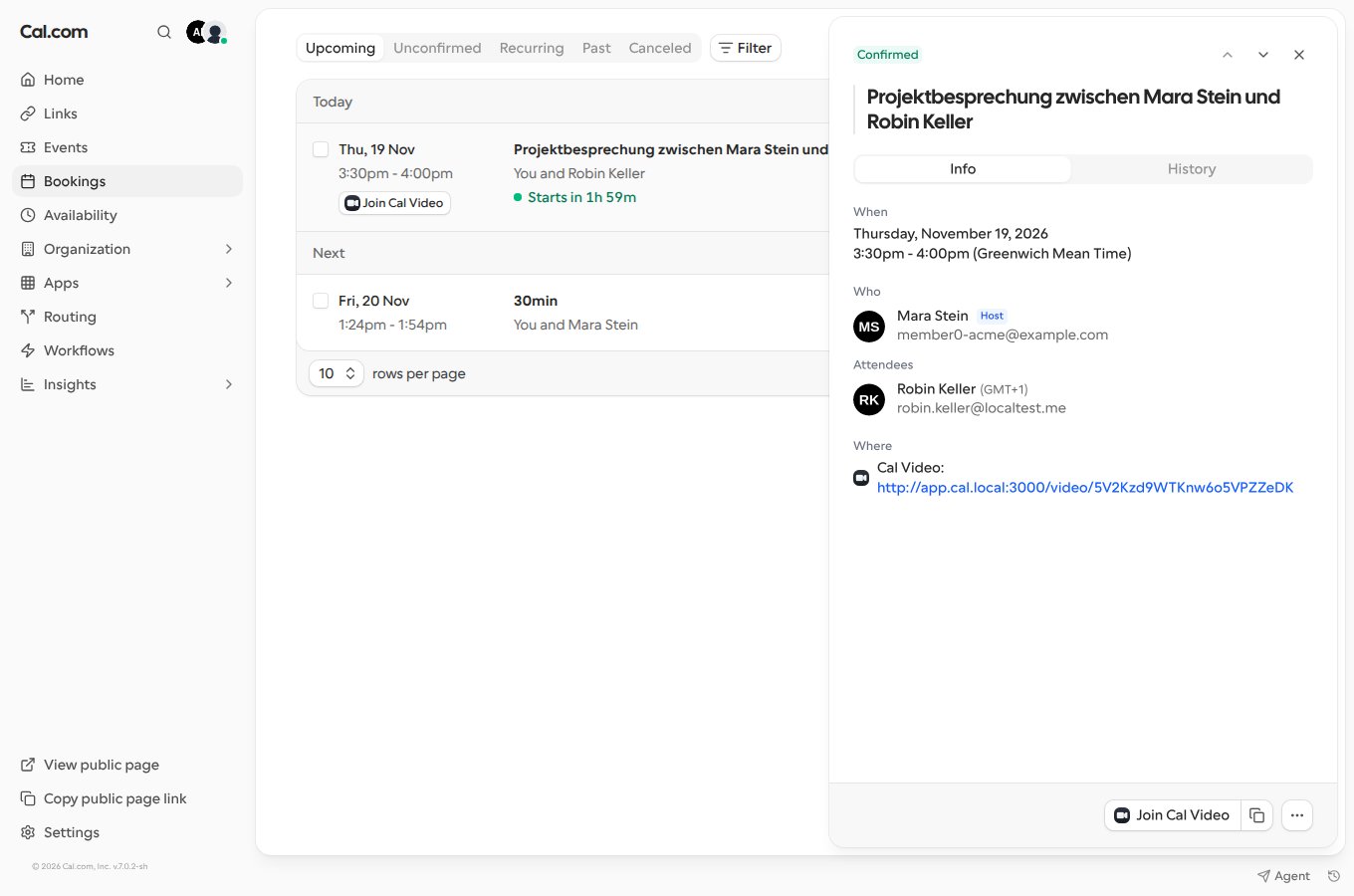
Only people who can edit the organization’s settings can change the language. Booking pages still use
the attendee’s language.
Set the organization’s language
1
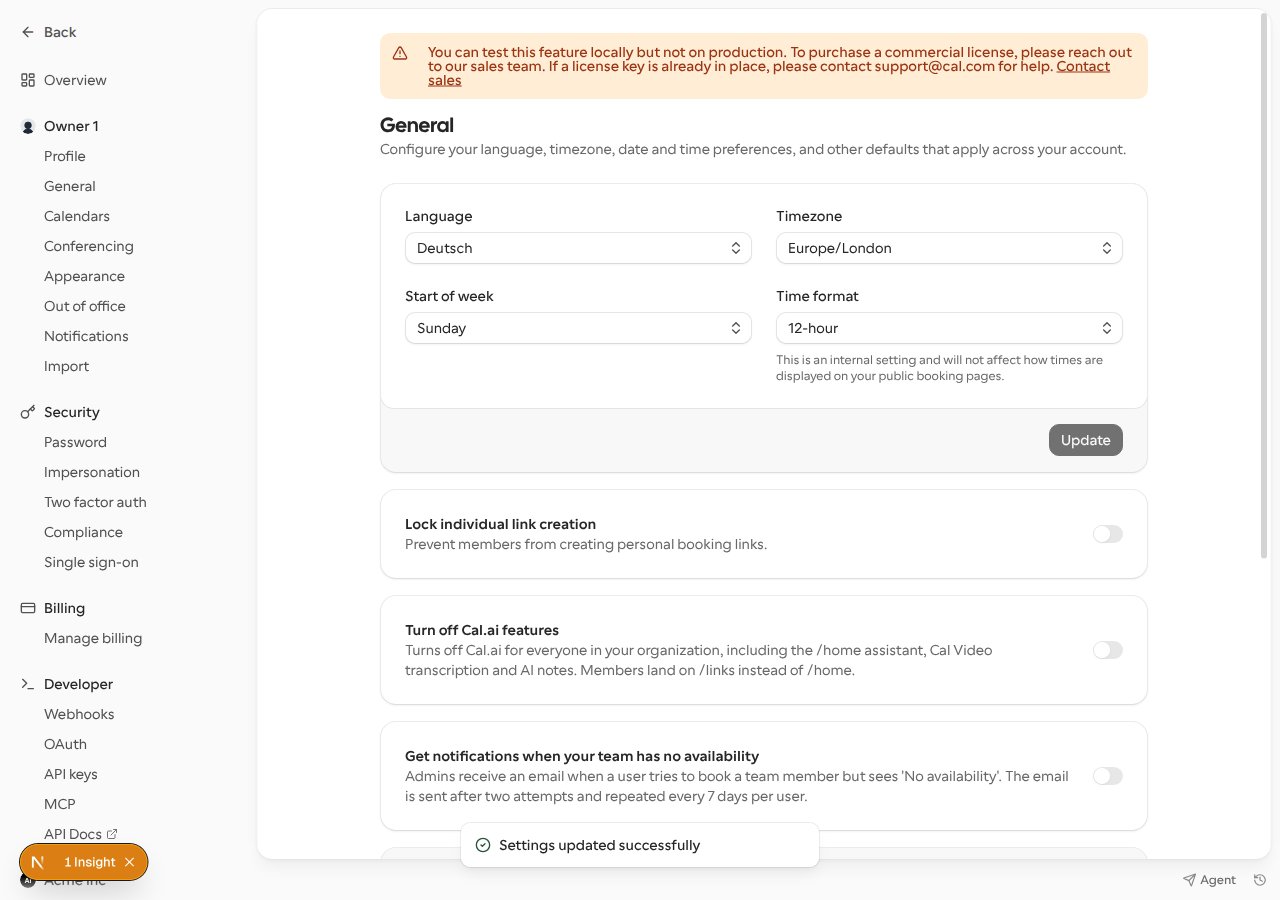
Open the organization's general settings
Go to Settings, then under your organization select General.
2
Choose a language
Under Language, pick the language everyone in the organization should use.
3
Save
Select Update. Every current member’s language changes to the one you picked.
What members see
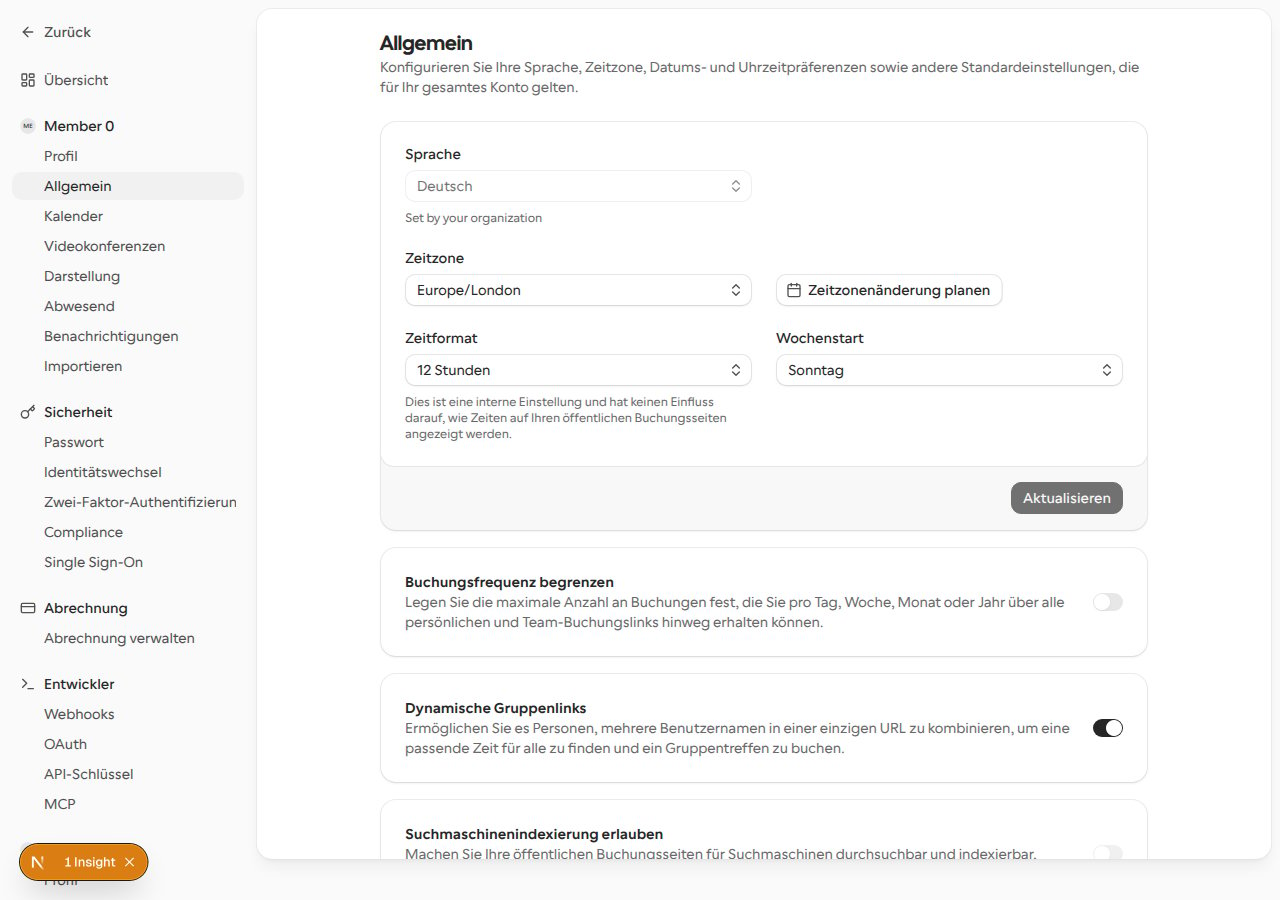
While the organization has a language set:- Members’ dashboards and their Cal.com emails use the organization’s language.
- In Settings > My account > General, the Language field is turned off and shows Set by your organization.
- If a member tries to change their language another way, such as through the API, their language stays the organization’s.
Booking emails and titles
When an organization sets a language, Cal.com uses it for emails to the person who booked and for default titles on new bookings with its members. Cal.com saves it as that person’s language for the booking. Custom title text stays as written. Cal.com translates organizer emails using the organizer’s personal language setting.